Java Edition guides/Chase the Skies

For the Bedrock Edition version of this guide, see Bedrock Edition guides/Chase the Skies.
Chase the Skies
Edition

Java Edition

Official name

Chase the Skies

Version(s)

This guide is a simplified overview of all non-experimental changes in the Chase the Skies (Java Edition 1.21.6 to 1.21.8), which assumes at least some familiarity with Spring to Life (Java Edition 1.21.5), excluding experimental features in this version.

Mobs

New

Name Image Habitat Drops Note
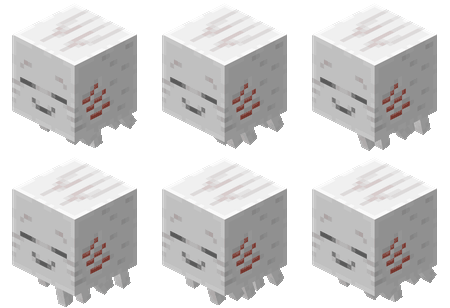
Happy ghast 1–3XP (when killed by a player or tamed wolf)
  • Baby happy ghasts are called "ghastlings".
  • Can be ridden on using a harness.

Changed

Name Image Changed
Ghast
  • Texture resolution has been doubled to match the happy ghast.
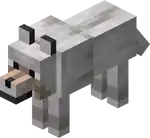
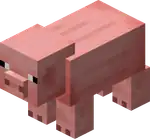
Wolf, pig and sheep
  • Now have their legs mirrored.
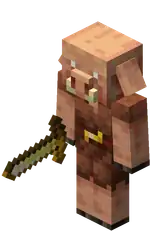
Piglin
  • The dried ghast is now available from bartering, and the chance for other barters has been reduced slightly.
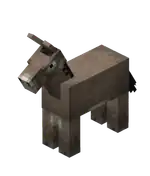
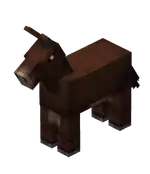
Horse, donkey and mule
  • Can now be fed carrots to heal, grow, and improve their temper, with the same effect as apples.

Blocks

New

Name Image Obtaining Tool Required Uses
Dried ghast
Ingredients Crafting recipe
Ghast Tear +
Soul Sand
Invicon Ghast Tear.png: Inventory sprite for Ghast Tear in Minecraft as shown in-game linking to Ghast Tear with description: Ghast TearInvicon Ghast Tear.png: Inventory sprite for Ghast Tear in Minecraft as shown in-game linking to Ghast Tear with description: Ghast TearInvicon Ghast Tear.png: Inventory sprite for Ghast Tear in Minecraft as shown in-game linking to Ghast Tear with description: Ghast TearInvicon Ghast Tear.png: Inventory sprite for Ghast Tear in Minecraft as shown in-game linking to Ghast Tear with description: Ghast TearInvicon Soul Sand.png: Inventory sprite for Soul Sand in Minecraft as shown in-game linking to Soul Sand with description: Soul SandInvicon Ghast Tear.png: Inventory sprite for Ghast Tear in Minecraft as shown in-game linking to Ghast Tear with description: Ghast TearInvicon Ghast Tear.png: Inventory sprite for Ghast Tear in Minecraft as shown in-game linking to Ghast Tear with description: Ghast TearInvicon Ghast Tear.png: Inventory sprite for Ghast Tear in Minecraft as shown in-game linking to Ghast Tear with description: Ghast TearInvicon Ghast Tear.png: Inventory sprite for Ghast Tear in Minecraft as shown in-game linking to Ghast Tear with description: Ghast Tear
Invicon Dried Ghast.png: Inventory sprite for Dried Ghast in Minecraft as shown in-game linking to Dried Ghast with description: Dried Ghast
Any
  • Place in water for 20 minutes for it to hydrate into a ghastling.

Changed

Name Image Changed
Firefly bush
  • Now produces larger, and more constant, amounts of particles.
Carpet
  • Shearing carpets from llamas now emits a vibration frequency of 6, while unequipping it emits a vibration frequency of 4 from the sculk shrieker.

Items

New

Name Image Obtaining Uses
Harness
Name Ingredients Crafting recipe
Harness Leather +
Glass +
Matching Wool
Invicon Leather.png: Inventory sprite for Leather in Minecraft as shown in-game linking to Leather with description: LeatherInvicon Leather.png: Inventory sprite for Leather in Minecraft as shown in-game linking to Leather with description: LeatherInvicon Leather.png: Inventory sprite for Leather in Minecraft as shown in-game linking to Leather with description: LeatherInvicon Glass.png: Inventory sprite for Glass in Minecraft as shown in-game linking to Glass with description: GlassInvicon White Wool.png: Inventory sprite for White Wool in Minecraft as shown in-game linking to White Wool with description: White WoolInvicon Light Gray Wool.png: Inventory sprite for Light Gray Wool in Minecraft as shown in-game linking to Light Gray Wool with description: Light Gray WoolInvicon Gray Wool.png: Inventory sprite for Gray Wool in Minecraft as shown in-game linking to Gray Wool with description: Gray WoolInvicon Black Wool.png: Inventory sprite for Black Wool in Minecraft as shown in-game linking to Black Wool with description: Black WoolInvicon Brown Wool.png: Inventory sprite for Brown Wool in Minecraft as shown in-game linking to Brown Wool with description: Brown WoolInvicon Red Wool.png: Inventory sprite for Red Wool in Minecraft as shown in-game linking to Red Wool with description: Red WoolInvicon Orange Wool.png: Inventory sprite for Orange Wool in Minecraft as shown in-game linking to Orange Wool with description: Orange WoolInvicon Yellow Wool.png: Inventory sprite for Yellow Wool in Minecraft as shown in-game linking to Yellow Wool with description: Yellow WoolInvicon Lime Wool.png: Inventory sprite for Lime Wool in Minecraft as shown in-game linking to Lime Wool with description: Lime WoolInvicon Green Wool.png: Inventory sprite for Green Wool in Minecraft as shown in-game linking to Green Wool with description: Green WoolInvicon Cyan Wool.png: Inventory sprite for Cyan Wool in Minecraft as shown in-game linking to Cyan Wool with description: Cyan WoolInvicon Light Blue Wool.png: Inventory sprite for Light Blue Wool in Minecraft as shown in-game linking to Light Blue Wool with description: Light Blue WoolInvicon Blue Wool.png: Inventory sprite for Blue Wool in Minecraft as shown in-game linking to Blue Wool with description: Blue WoolInvicon Purple Wool.png: Inventory sprite for Purple Wool in Minecraft as shown in-game linking to Purple Wool with description: Purple WoolInvicon Magenta Wool.png: Inventory sprite for Magenta Wool in Minecraft as shown in-game linking to Magenta Wool with description: Magenta WoolInvicon Pink Wool.png: Inventory sprite for Pink Wool in Minecraft as shown in-game linking to Pink Wool with description: Pink WoolInvicon Glass.png: Inventory sprite for Glass in Minecraft as shown in-game linking to Glass with description: Glass
Invicon White Harness.png: Inventory sprite for White Harness in Minecraft as shown in-game linking to White Harness with description: White HarnessInvicon Light Gray Harness.png: Inventory sprite for Light Gray Harness in Minecraft as shown in-game linking to Light Gray Harness with description: Light Gray HarnessInvicon Gray Harness.png: Inventory sprite for Gray Harness in Minecraft as shown in-game linking to Gray Harness with description: Gray HarnessInvicon Black Harness.png: Inventory sprite for Black Harness in Minecraft as shown in-game linking to Black Harness with description: Black HarnessInvicon Brown Harness.png: Inventory sprite for Brown Harness in Minecraft as shown in-game linking to Brown Harness with description: Brown HarnessInvicon Red Harness.png: Inventory sprite for Red Harness in Minecraft as shown in-game linking to Red Harness with description: Red HarnessInvicon Orange Harness.png: Inventory sprite for Orange Harness in Minecraft as shown in-game linking to Orange Harness with description: Orange HarnessInvicon Yellow Harness.png: Inventory sprite for Yellow Harness in Minecraft as shown in-game linking to Yellow Harness with description: Yellow HarnessInvicon Lime Harness.png: Inventory sprite for Lime Harness in Minecraft as shown in-game linking to Lime Harness with description: Lime HarnessInvicon Green Harness.png: Inventory sprite for Green Harness in Minecraft as shown in-game linking to Green Harness with description: Green HarnessInvicon Cyan Harness.png: Inventory sprite for Cyan Harness in Minecraft as shown in-game linking to Cyan Harness with description: Cyan HarnessInvicon Light Blue Harness.png: Inventory sprite for Light Blue Harness in Minecraft as shown in-game linking to Light Blue Harness with description: Light Blue HarnessInvicon Blue Harness.png: Inventory sprite for Blue Harness in Minecraft as shown in-game linking to Blue Harness with description: Blue HarnessInvicon Purple Harness.png: Inventory sprite for Purple Harness in Minecraft as shown in-game linking to Purple Harness with description: Purple HarnessInvicon Magenta Harness.png: Inventory sprite for Magenta Harness in Minecraft as shown in-game linking to Magenta Harness with description: Magenta HarnessInvicon Pink Harness.png: Inventory sprite for Pink Harness in Minecraft as shown in-game linking to Pink Harness with description: Pink Harness
Harness Any Harness +
Matching Dye
Invicon White Harness.png: Inventory sprite for White Harness in Minecraft as shown in-game linking to White Harness with description: White HarnessInvicon Light Gray Harness.png: Inventory sprite for Light Gray Harness in Minecraft as shown in-game linking to Light Gray Harness with description: Light Gray HarnessInvicon Gray Harness.png: Inventory sprite for Gray Harness in Minecraft as shown in-game linking to Gray Harness with description: Gray HarnessInvicon Black Harness.png: Inventory sprite for Black Harness in Minecraft as shown in-game linking to Black Harness with description: Black HarnessInvicon Brown Harness.png: Inventory sprite for Brown Harness in Minecraft as shown in-game linking to Brown Harness with description: Brown HarnessInvicon Red Harness.png: Inventory sprite for Red Harness in Minecraft as shown in-game linking to Red Harness with description: Red HarnessInvicon Orange Harness.png: Inventory sprite for Orange Harness in Minecraft as shown in-game linking to Orange Harness with description: Orange HarnessInvicon Yellow Harness.png: Inventory sprite for Yellow Harness in Minecraft as shown in-game linking to Yellow Harness with description: Yellow HarnessInvicon Lime Harness.png: Inventory sprite for Lime Harness in Minecraft as shown in-game linking to Lime Harness with description: Lime HarnessInvicon Green Harness.png: Inventory sprite for Green Harness in Minecraft as shown in-game linking to Green Harness with description: Green HarnessInvicon Cyan Harness.png: Inventory sprite for Cyan Harness in Minecraft as shown in-game linking to Cyan Harness with description: Cyan HarnessInvicon Light Blue Harness.png: Inventory sprite for Light Blue Harness in Minecraft as shown in-game linking to Light Blue Harness with description: Light Blue HarnessInvicon Blue Harness.png: Inventory sprite for Blue Harness in Minecraft as shown in-game linking to Blue Harness with description: Blue HarnessInvicon Purple Harness.png: Inventory sprite for Purple Harness in Minecraft as shown in-game linking to Purple Harness with description: Purple HarnessInvicon Magenta Harness.png: Inventory sprite for Magenta Harness in Minecraft as shown in-game linking to Magenta Harness with description: Magenta HarnessInvicon Pink Harness.png: Inventory sprite for Pink Harness in Minecraft as shown in-game linking to Pink Harness with description: Pink HarnessInvicon White Dye.png: Inventory sprite for White Dye in Minecraft as shown in-game linking to White Dye with description: White DyeInvicon Light Gray Dye.png: Inventory sprite for Light Gray Dye in Minecraft as shown in-game linking to Light Gray Dye with description: Light Gray DyeInvicon Gray Dye.png: Inventory sprite for Gray Dye in Minecraft as shown in-game linking to Gray Dye with description: Gray DyeInvicon Black Dye.png: Inventory sprite for Black Dye in Minecraft as shown in-game linking to Black Dye with description: Black DyeInvicon Brown Dye.png: Inventory sprite for Brown Dye in Minecraft as shown in-game linking to Brown Dye with description: Brown DyeInvicon Red Dye.png: Inventory sprite for Red Dye in Minecraft as shown in-game linking to Red Dye with description: Red DyeInvicon Orange Dye.png: Inventory sprite for Orange Dye in Minecraft as shown in-game linking to Orange Dye with description: Orange DyeInvicon Yellow Dye.png: Inventory sprite for Yellow Dye in Minecraft as shown in-game linking to Yellow Dye with description: Yellow DyeInvicon Lime Dye.png: Inventory sprite for Lime Dye in Minecraft as shown in-game linking to Lime Dye with description: Lime DyeInvicon Green Dye.png: Inventory sprite for Green Dye in Minecraft as shown in-game linking to Green Dye with description: Green DyeInvicon Cyan Dye.png: Inventory sprite for Cyan Dye in Minecraft as shown in-game linking to Cyan Dye with description: Cyan DyeInvicon Light Blue Dye.png: Inventory sprite for Light Blue Dye in Minecraft as shown in-game linking to Light Blue Dye with description: Light Blue DyeInvicon Blue Dye.png: Inventory sprite for Blue Dye in Minecraft as shown in-game linking to Blue Dye with description: Blue DyeInvicon Purple Dye.png: Inventory sprite for Purple Dye in Minecraft as shown in-game linking to Purple Dye with description: Purple DyeInvicon Magenta Dye.png: Inventory sprite for Magenta Dye in Minecraft as shown in-game linking to Magenta Dye with description: Magenta DyeInvicon Pink Dye.png: Inventory sprite for Pink Dye in Minecraft as shown in-game linking to Pink Dye with description: Pink Dye
Invicon White Harness.png: Inventory sprite for White Harness in Minecraft as shown in-game linking to White Harness with description: White HarnessInvicon Light Gray Harness.png: Inventory sprite for Light Gray Harness in Minecraft as shown in-game linking to Light Gray Harness with description: Light Gray HarnessInvicon Gray Harness.png: Inventory sprite for Gray Harness in Minecraft as shown in-game linking to Gray Harness with description: Gray HarnessInvicon Black Harness.png: Inventory sprite for Black Harness in Minecraft as shown in-game linking to Black Harness with description: Black HarnessInvicon Brown Harness.png: Inventory sprite for Brown Harness in Minecraft as shown in-game linking to Brown Harness with description: Brown HarnessInvicon Red Harness.png: Inventory sprite for Red Harness in Minecraft as shown in-game linking to Red Harness with description: Red HarnessInvicon Orange Harness.png: Inventory sprite for Orange Harness in Minecraft as shown in-game linking to Orange Harness with description: Orange HarnessInvicon Yellow Harness.png: Inventory sprite for Yellow Harness in Minecraft as shown in-game linking to Yellow Harness with description: Yellow HarnessInvicon Lime Harness.png: Inventory sprite for Lime Harness in Minecraft as shown in-game linking to Lime Harness with description: Lime HarnessInvicon Green Harness.png: Inventory sprite for Green Harness in Minecraft as shown in-game linking to Green Harness with description: Green HarnessInvicon Cyan Harness.png: Inventory sprite for Cyan Harness in Minecraft as shown in-game linking to Cyan Harness with description: Cyan HarnessInvicon Light Blue Harness.png: Inventory sprite for Light Blue Harness in Minecraft as shown in-game linking to Light Blue Harness with description: Light Blue HarnessInvicon Blue Harness.png: Inventory sprite for Blue Harness in Minecraft as shown in-game linking to Blue Harness with description: Blue HarnessInvicon Purple Harness.png: Inventory sprite for Purple Harness in Minecraft as shown in-game linking to Purple Harness with description: Purple HarnessInvicon Magenta Harness.png: Inventory sprite for Magenta Harness in Minecraft as shown in-game linking to Magenta Harness with description: Magenta HarnessInvicon Pink Harness.png: Inventory sprite for Pink Harness in Minecraft as shown in-game linking to Pink Harness with description: Pink Harness
  • Can be used on a happy ghast to equip it. Up to 4 players can ride a single happy ghast at once.
  • Using shears on a happy ghast wearing a harness removes the harness from the ghast.
Happy ghast spawn egg
  • Obtained from the Creative inventory.
  • Spawns happy ghast.
Music disc "Tears"
  • Dropped by ghasts when killed with a fireball deflected by a player.
  • Plays the track "Tears".

Music disc "Lava Chicken"
  • Plays the track "Lava Chicken"

Painting "Dennis"
  • Randomly obtained when placing paintings.
  • Decorate the environment.

Changed

Name Image Changed
Spawn egg
  • Blaze and breeze egg size changed from "large" to "medium".
Lead
  • Can now let a leashed mob leash another mob.
Ingredients Crafting recipe
String
  • Added a new sound for when a lead snaps.
Firework rocket
  • While gliding, using a firework will only be used as a boost even if placed on a block.
  • Using a firework will snap any leashes attached to the player.
Splash potion
  • Splash potions distance to affected entities now depends on the closest distance between the entity hitbox and the splash potion hitbox where it landed.
Leather
Saddle
  • Can be removed from mobs wearing them by using shears on the mob.
Ingredients Crafting recipe
Leather +
Iron Ingot
Invicon Leather.png: Inventory sprite for Leather in Minecraft as shown in-game linking to Leather with description: LeatherInvicon Leather.png: Inventory sprite for Leather in Minecraft as shown in-game linking to Leather with description: LeatherInvicon Iron Ingot.png: Inventory sprite for Iron Ingot in Minecraft as shown in-game linking to Iron Ingot with description: Iron IngotInvicon Leather.png: Inventory sprite for Leather in Minecraft as shown in-game linking to Leather with description: Leather
Invicon Saddle.png: Inventory sprite for Saddle in Minecraft as shown in-game linking to Saddle with description: Saddle
  • Shearing saddles now emits a vibration frequency of 6, along with the unequip frequency of 4 from the sculk shrieker.
Shears
  • Can now remove saddles, horse armor, harnesses and carpets from mobs.
  • Saddles cannot be removed from ravagers.
  • Dispensers with shears cannot remove saddles, horse armor, harnesses and carpets equipped on mobs.
  • The following sounds have been added for shearing Saddles, Horse Armor, and Carpets from Llamas

mob/horse/armor_unequip

mob/horse/saddle_unequip

mob/llama/unequip

Horse armor
  • Shearing horse armor now emits a vibration frequency of 6, with an underlying Unequip frequency of 4.

Non-mob entities

Changed

Name Image Changed
General
  • Projectiles now have a target tolerance margin that changes. For the first two ticks after the arrow is shot, there is no target tolerance margin. For every tick after that, the margin increases by 0.05 blocks until maxing out at 0.3 blocks.

Structures

Changed

Name Image Changed
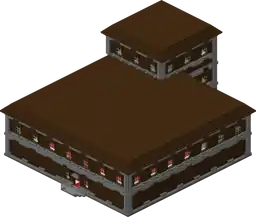
Woodland mansion
  • The room "1x1_b5.nbt" generates again.

Gameplay

New

Name Description
Locator bar
  • Can show the position of other players in multiplayer as colored indicators.
  • If the target is on a significantly different Y-level, an arrow pointing to the target vertically appears over the indicator.
  • Locator Bar changes based on the player's distance to its location. The further away the player to the waypoint, the smaller the icon shown on the locator bar.
  • Players can prevent their positions from being shown in the locator bar; they can sneak, wear a mob head or carved pumpkin, or be under the Invisibility effect.

Changed

Name Changed
Sounds
  • Rules for when ambient desert blocks sounds play have been tweaked.
  • The sound event block.dried_ghast.hit has been removed.
  • The following sounds have been renamed:

entity/leashknot/break1 -> entity/leashknot/unleash1

entity/leashknot/break2 -> entity/leashknot/unleash2

entity/leashknot/break3 -> entity/leashknot/unleash3

entity/leashknot/place1 -> entity/leashknot/leash1

entity/leashknot/place2 -> entity/leashknot/leash2

entity/leashknot/place3 -> entity/leashknot/leash3

  • The following sound categories have been renamed:

Friendly Creatures -> Friendly Mobs

Hostile Creatures -> Hostile Mobs

Spectator mode
  • Spectators will now teleport together with, but stop spectating, entities that move to other dimensions.
Clouds
  • The clouds texture no longer supports colored pixels.
  • Clouds now exist all the way to the horizon (128 chunks, the max and default cloud render distance).
  • Clouds rendering distance can now be configured independently of world/chunk render distance.
  • The pattern of clouds has been changed.
Fog
  • Fog is now applied to 3d HUD elements such as first person player hands and items in hands.
  • It now becomes foggier when it rains.
  • Fog was tweaked for improved atmospheric perspective.

Advancements

IconAdvancementIn-game descriptionActual requirements (if different)
Heart TransplanterPlace a Creaking Heart with the correct alignment between two Pale Oak Log blocks
Stay Hydrated!Place a Dried Ghast block into water

Navigation