Bedrock Edition guides/Discovery Update

Discovery Update
Edition

Bedrock Edition

Official name

Discovery Update

Version(s)

This guide is a simplified overview of all the Changed in the Discovery Update (Bedrock Edition 1.1.x releases), which assumes at least some familiarity with the Ender Update (Bedrock Edition 1.0.x releases).

Mobs

New

Name Image Habitat Drops Note
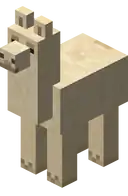
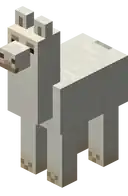
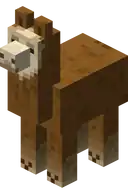
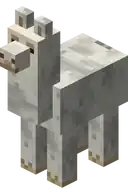
Llama

Spawn in mountains. Provide a slightly less expensive item transport system.
Illagers

Found in woodland mansions.

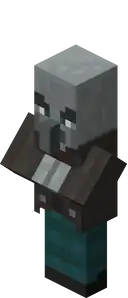
Vindicator:

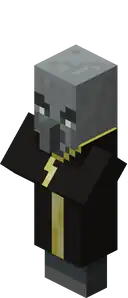
Evoker:

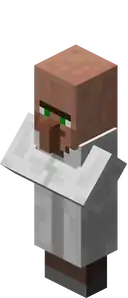
  • Being relatives to the villagers, they look similar but have pale gray skin and wear dark clothes.
  • Two kinds of Illagers are introduced: evokers and vindicators.
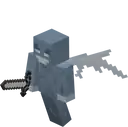
Vex Summoned by evokers.
  • Spawn only when summoned by an evoker.
  • Appear similar to ghosts, in that they are small, pale, flying mobs that can phase through blocks.
  • Show red marks when about to attack.
  • Attack players and villagers.
  • Hold an iron sword in their main hand.
Librarian Spawn in village. N/A
  • Added as a new librarian career.
    • Trading with a cartographer is the only way to obtain the new explorer maps.

Changed

Name Image Changed
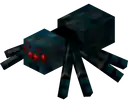
Cave spider Now attacks with poison time based on difficulty.
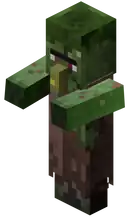
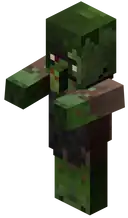
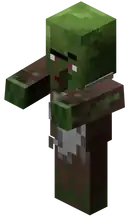
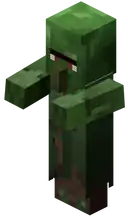
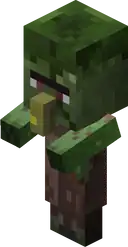
Zombie villager Now have the unique sounds that they do in Java Edition.
Shulker

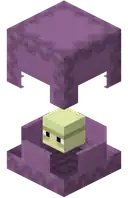
Changed color palette.
Sheep

Changed color palette.

Blocks

New

Name Image Obtaining Tool Required Uses
Concrete

It is a block created when concrete powder touches water. Can be obtained by any pickaxe. Decoration.
Concrete powder

Ingredients Crafting recipe
Matching Dye +
Sand +
Gravel
Concrete powder can be mined by hand or any tool, but mining is fastest using a shovel. Makes concrete.
Glazed terracotta

Ingredients Smelting recipe
Matching Dyed Terracotta +
Any fuel
Invicon White Terracotta.png: Inventory sprite for White Terracotta in Minecraft as shown in-game linking to White Terracotta with description: White TerracottaInvicon Light Gray Terracotta.png: Inventory sprite for Light Gray Terracotta in Minecraft as shown in-game linking to Light Gray Terracotta with description: Light Gray TerracottaInvicon Gray Terracotta.png: Inventory sprite for Gray Terracotta in Minecraft as shown in-game linking to Gray Terracotta with description: Gray TerracottaInvicon Black Terracotta.png: Inventory sprite for Black Terracotta in Minecraft as shown in-game linking to Black Terracotta with description: Black TerracottaInvicon Brown Terracotta.png: Inventory sprite for Brown Terracotta in Minecraft as shown in-game linking to Brown Terracotta with description: Brown TerracottaInvicon Red Terracotta.png: Inventory sprite for Red Terracotta in Minecraft as shown in-game linking to Red Terracotta with description: Red TerracottaInvicon Orange Terracotta.png: Inventory sprite for Orange Terracotta in Minecraft as shown in-game linking to Orange Terracotta with description: Orange TerracottaInvicon Yellow Terracotta.png: Inventory sprite for Yellow Terracotta in Minecraft as shown in-game linking to Yellow Terracotta with description: Yellow TerracottaInvicon Lime Terracotta.png: Inventory sprite for Lime Terracotta in Minecraft as shown in-game linking to Lime Terracotta with description: Lime TerracottaInvicon Green Terracotta.png: Inventory sprite for Green Terracotta in Minecraft as shown in-game linking to Green Terracotta with description: Green TerracottaInvicon Cyan Terracotta.png: Inventory sprite for Cyan Terracotta in Minecraft as shown in-game linking to Cyan Terracotta with description: Cyan TerracottaInvicon Light Blue Terracotta.png: Inventory sprite for Light Blue Terracotta in Minecraft as shown in-game linking to Light Blue Terracotta with description: Light Blue TerracottaInvicon Blue Terracotta.png: Inventory sprite for Blue Terracotta in Minecraft as shown in-game linking to Blue Terracotta with description: Blue TerracottaInvicon Purple Terracotta.png: Inventory sprite for Purple Terracotta in Minecraft as shown in-game linking to Purple Terracotta with description: Purple TerracottaInvicon Magenta Terracotta.png: Inventory sprite for Magenta Terracotta in Minecraft as shown in-game linking to Magenta Terracotta with description: Magenta TerracottaInvicon Pink Terracotta.png: Inventory sprite for Pink Terracotta in Minecraft as shown in-game linking to Pink Terracotta with description: Pink Terracotta
Invicon Coal.png: Inventory sprite for Coal in Minecraft as shown in-game linking to Coal with description: CoalInvicon Charcoal.png: Inventory sprite for Charcoal in Minecraft as shown in-game linking to Charcoal with description: CharcoalInvicon Oak Log.png: Inventory sprite for Oak Log in Minecraft as shown in-game linking to Oak Log with description: LogInvicon Oak Planks.png: Inventory sprite for Oak Planks in Minecraft as shown in-game linking to Oak Planks with description: Overworld PlanksInvicon Lava Bucket.png: Inventory sprite for Lava Bucket in Minecraft as shown in-game linking to Lava Bucket with description: Lava BucketInvicon Block of Coal.png: Inventory sprite for Block of Coal in Minecraft as shown in-game linking to Block of Coal with description: Block of Coal

Invicon White Glazed Terracotta.png: Inventory sprite for White Glazed Terracotta in Minecraft as shown in-game linking to White Glazed Terracotta with description: White Glazed TerracottaInvicon Light Gray Glazed Terracotta.png: Inventory sprite for Light Gray Glazed Terracotta in Minecraft as shown in-game linking to Light Gray Glazed Terracotta with description: Light Gray Glazed TerracottaInvicon Gray Glazed Terracotta.png: Inventory sprite for Gray Glazed Terracotta in Minecraft as shown in-game linking to Gray Glazed Terracotta with description: Gray Glazed TerracottaInvicon Black Glazed Terracotta.png: Inventory sprite for Black Glazed Terracotta in Minecraft as shown in-game linking to Black Glazed Terracotta with description: Black Glazed TerracottaInvicon Brown Glazed Terracotta.png: Inventory sprite for Brown Glazed Terracotta in Minecraft as shown in-game linking to Brown Glazed Terracotta with description: Brown Glazed TerracottaInvicon Red Glazed Terracotta.png: Inventory sprite for Red Glazed Terracotta in Minecraft as shown in-game linking to Red Glazed Terracotta with description: Red Glazed TerracottaInvicon Orange Glazed Terracotta.png: Inventory sprite for Orange Glazed Terracotta in Minecraft as shown in-game linking to Orange Glazed Terracotta with description: Orange Glazed TerracottaInvicon Yellow Glazed Terracotta.png: Inventory sprite for Yellow Glazed Terracotta in Minecraft as shown in-game linking to Yellow Glazed Terracotta with description: Yellow Glazed TerracottaInvicon Lime Glazed Terracotta.png: Inventory sprite for Lime Glazed Terracotta in Minecraft as shown in-game linking to Lime Glazed Terracotta with description: Lime Glazed TerracottaInvicon Green Glazed Terracotta.png: Inventory sprite for Green Glazed Terracotta in Minecraft as shown in-game linking to Green Glazed Terracotta with description: Green Glazed TerracottaInvicon Cyan Glazed Terracotta.png: Inventory sprite for Cyan Glazed Terracotta in Minecraft as shown in-game linking to Cyan Glazed Terracotta with description: Cyan Glazed TerracottaInvicon Light Blue Glazed Terracotta.png: Inventory sprite for Light Blue Glazed Terracotta in Minecraft as shown in-game linking to Light Blue Glazed Terracotta with description: Light Blue Glazed TerracottaInvicon Blue Glazed Terracotta.png: Inventory sprite for Blue Glazed Terracotta in Minecraft as shown in-game linking to Blue Glazed Terracotta with description: Blue Glazed TerracottaInvicon Purple Glazed Terracotta.png: Inventory sprite for Purple Glazed Terracotta in Minecraft as shown in-game linking to Purple Glazed Terracotta with description: Purple Glazed TerracottaInvicon Magenta Glazed Terracotta.png: Inventory sprite for Magenta Glazed Terracotta in Minecraft as shown in-game linking to Magenta Glazed Terracotta with description: Magenta Glazed TerracottaInvicon Pink Glazed Terracotta.png: Inventory sprite for Pink Glazed Terracotta in Minecraft as shown in-game linking to Pink Glazed Terracotta with description: Pink Glazed Terracotta0.1
Can only be mined with a pickaxe. Decoration.
Shulker boxes
Name Ingredients Crafting recipe Description
Shulker Box Shulker Shell +
Chest
Invicon Shulker Shell.png: Inventory sprite for Shulker Shell in Minecraft as shown in-game linking to Shulker Shell with description: Shulker ShellInvicon Chest.png: Inventory sprite for Chest in Minecraft as shown in-game linking to Chest with description: ChestInvicon Shulker Shell.png: Inventory sprite for Shulker Shell in Minecraft as shown in-game linking to Shulker Shell with description: Shulker Shell
Invicon Shulker Box.png: Inventory sprite for Shulker Box in Minecraft as shown in-game linking to Shulker Box with description: Shulker Box
Shulker Box Any Shulker Box+
Corresponding to Dye
Invicon Shulker Box.png: Inventory sprite for Shulker Box in Minecraft as shown in-game linking to Shulker Box with description: Shulker BoxInvicon White Shulker Box.png: Inventory sprite for White Shulker Box in Minecraft as shown in-game linking to White Shulker Box with description: White Shulker BoxInvicon Light Gray Shulker Box.png: Inventory sprite for Light Gray Shulker Box in Minecraft as shown in-game linking to Light Gray Shulker Box with description: Light Gray Shulker BoxInvicon Gray Shulker Box.png: Inventory sprite for Gray Shulker Box in Minecraft as shown in-game linking to Gray Shulker Box with description: Gray Shulker BoxInvicon Black Shulker Box.png: Inventory sprite for Black Shulker Box in Minecraft as shown in-game linking to Black Shulker Box with description: Black Shulker BoxInvicon Brown Shulker Box.png: Inventory sprite for Brown Shulker Box in Minecraft as shown in-game linking to Brown Shulker Box with description: Brown Shulker BoxInvicon Red Shulker Box.png: Inventory sprite for Red Shulker Box in Minecraft as shown in-game linking to Red Shulker Box with description: Red Shulker BoxInvicon Orange Shulker Box.png: Inventory sprite for Orange Shulker Box in Minecraft as shown in-game linking to Orange Shulker Box with description: Orange Shulker BoxInvicon Yellow Shulker Box.png: Inventory sprite for Yellow Shulker Box in Minecraft as shown in-game linking to Yellow Shulker Box with description: Yellow Shulker BoxInvicon Lime Shulker Box.png: Inventory sprite for Lime Shulker Box in Minecraft as shown in-game linking to Lime Shulker Box with description: Lime Shulker BoxInvicon Green Shulker Box.png: Inventory sprite for Green Shulker Box in Minecraft as shown in-game linking to Green Shulker Box with description: Green Shulker BoxInvicon Cyan Shulker Box.png: Inventory sprite for Cyan Shulker Box in Minecraft as shown in-game linking to Cyan Shulker Box with description: Cyan Shulker BoxInvicon Light Blue Shulker Box.png: Inventory sprite for Light Blue Shulker Box in Minecraft as shown in-game linking to Light Blue Shulker Box with description: Light Blue Shulker BoxInvicon Blue Shulker Box.png: Inventory sprite for Blue Shulker Box in Minecraft as shown in-game linking to Blue Shulker Box with description: Blue Shulker BoxInvicon Purple Shulker Box.png: Inventory sprite for Purple Shulker Box in Minecraft as shown in-game linking to Purple Shulker Box with description: Purple Shulker BoxInvicon Magenta Shulker Box.png: Inventory sprite for Magenta Shulker Box in Minecraft as shown in-game linking to Magenta Shulker Box with description: Magenta Shulker BoxInvicon Pink Shulker Box.png: Inventory sprite for Pink Shulker Box in Minecraft as shown in-game linking to Pink Shulker Box with description: Pink Shulker BoxInvicon White Dye.png: Inventory sprite for White Dye in Minecraft as shown in-game linking to White Dye with description: White DyeInvicon Light Gray Dye.png: Inventory sprite for Light Gray Dye in Minecraft as shown in-game linking to Light Gray Dye with description: Light Gray DyeInvicon Gray Dye.png: Inventory sprite for Gray Dye in Minecraft as shown in-game linking to Gray Dye with description: Gray DyeInvicon Black Dye.png: Inventory sprite for Black Dye in Minecraft as shown in-game linking to Black Dye with description: Black DyeInvicon Brown Dye.png: Inventory sprite for Brown Dye in Minecraft as shown in-game linking to Brown Dye with description: Brown DyeInvicon Red Dye.png: Inventory sprite for Red Dye in Minecraft as shown in-game linking to Red Dye with description: Red DyeInvicon Orange Dye.png: Inventory sprite for Orange Dye in Minecraft as shown in-game linking to Orange Dye with description: Orange DyeInvicon Yellow Dye.png: Inventory sprite for Yellow Dye in Minecraft as shown in-game linking to Yellow Dye with description: Yellow DyeInvicon Lime Dye.png: Inventory sprite for Lime Dye in Minecraft as shown in-game linking to Lime Dye with description: Lime DyeInvicon Green Dye.png: Inventory sprite for Green Dye in Minecraft as shown in-game linking to Green Dye with description: Green DyeInvicon Cyan Dye.png: Inventory sprite for Cyan Dye in Minecraft as shown in-game linking to Cyan Dye with description: Cyan DyeInvicon Light Blue Dye.png: Inventory sprite for Light Blue Dye in Minecraft as shown in-game linking to Light Blue Dye with description: Light Blue DyeInvicon Blue Dye.png: Inventory sprite for Blue Dye in Minecraft as shown in-game linking to Blue Dye with description: Blue DyeInvicon Purple Dye.png: Inventory sprite for Purple Dye in Minecraft as shown in-game linking to Purple Dye with description: Purple DyeInvicon Magenta Dye.png: Inventory sprite for Magenta Dye in Minecraft as shown in-game linking to Magenta Dye with description: Magenta DyeInvicon Pink Dye.png: Inventory sprite for Pink Dye in Minecraft as shown in-game linking to Pink Dye with description: Pink Dye
Invicon White Shulker Box.png: Inventory sprite for White Shulker Box in Minecraft as shown in-game linking to Shulker box with description: White Shulker BoxInvicon Light Gray Shulker Box.png: Inventory sprite for Light Gray Shulker Box in Minecraft as shown in-game linking to Shulker box with description: Light Gray Shulker BoxInvicon Gray Shulker Box.png: Inventory sprite for Gray Shulker Box in Minecraft as shown in-game linking to Shulker box with description: Gray Shulker BoxInvicon Black Shulker Box.png: Inventory sprite for Black Shulker Box in Minecraft as shown in-game linking to Shulker box with description: Black Shulker BoxInvicon Brown Shulker Box.png: Inventory sprite for Brown Shulker Box in Minecraft as shown in-game linking to Shulker box with description: Brown Shulker BoxInvicon Red Shulker Box.png: Inventory sprite for Red Shulker Box in Minecraft as shown in-game linking to Shulker box with description: Red Shulker BoxInvicon Orange Shulker Box.png: Inventory sprite for Orange Shulker Box in Minecraft as shown in-game linking to Shulker box with description: Orange Shulker BoxInvicon Yellow Shulker Box.png: Inventory sprite for Yellow Shulker Box in Minecraft as shown in-game linking to Shulker box with description: Yellow Shulker BoxInvicon Lime Shulker Box.png: Inventory sprite for Lime Shulker Box in Minecraft as shown in-game linking to Shulker box with description: Lime Shulker BoxInvicon Green Shulker Box.png: Inventory sprite for Green Shulker Box in Minecraft as shown in-game linking to Shulker box with description: Green Shulker BoxInvicon Cyan Shulker Box.png: Inventory sprite for Cyan Shulker Box in Minecraft as shown in-game linking to Shulker box with description: Cyan Shulker BoxInvicon Light Blue Shulker Box.png: Inventory sprite for Light Blue Shulker Box in Minecraft as shown in-game linking to Shulker box with description: Light Blue Shulker BoxInvicon Blue Shulker Box.png: Inventory sprite for Blue Shulker Box in Minecraft as shown in-game linking to Shulker box with description: Blue Shulker BoxInvicon Purple Shulker Box.png: Inventory sprite for Purple Shulker Box in Minecraft as shown in-game linking to Shulker box with description: Purple Shulker BoxInvicon Magenta Shulker Box.png: Inventory sprite for Magenta Shulker Box in Minecraft as shown in-game linking to Shulker box with description: Magenta Shulker BoxInvicon Pink Shulker Box.png: Inventory sprite for Pink Shulker Box in Minecraft as shown in-game linking to Shulker box with description: Pink Shulker Box
Shulker boxes retain stored items.
If renamed using an anvil, the name will be preserved.
Shulker boxes can be destroyed using any tool or with bare hands, but using a pickaxe is fastest.
  • New container.
  • The contents of the container will be retained after destruction.
  • Can be used to save storage space on the rest of the containers.
Frosted ice Spawns walking on water using shoes with Frost Walker. Mining with a tool enchanted with Silk Touch will drop nothing, while destroying frost ice in other ways will turn it into water. Breaks after a few seconds, allowing players to create temporarily bridges across water.
Magma block Naturally generated in the Nether. Magma blocks can be mined with any kind of pickaxe. If mined without a pickaxe, it will not drop items. Causes damage to non-nether creatures standing on top of it.
Bone block Occurs naturally as part of fossil. Bone blocks can be mined with any pickaxe. If mined without a pickaxe, it will drop no items. Can be used to store bone meal.
Nether wart block
Ingredients Crafting recipe
Nether Wart
Invicon Nether Wart.png: Inventory sprite for Nether Wart in Minecraft as shown in-game linking to Nether Wart with description: Nether WartInvicon Nether Wart.png: Inventory sprite for Nether Wart in Minecraft as shown in-game linking to Nether Wart with description: Nether WartInvicon Nether Wart.png: Inventory sprite for Nether Wart in Minecraft as shown in-game linking to Nether Wart with description: Nether WartInvicon Nether Wart.png: Inventory sprite for Nether Wart in Minecraft as shown in-game linking to Nether Wart with description: Nether WartInvicon Nether Wart.png: Inventory sprite for Nether Wart in Minecraft as shown in-game linking to Nether Wart with description: Nether WartInvicon Nether Wart.png: Inventory sprite for Nether Wart in Minecraft as shown in-game linking to Nether Wart with description: Nether WartInvicon Nether Wart.png: Inventory sprite for Nether Wart in Minecraft as shown in-game linking to Nether Wart with description: Nether WartInvicon Nether Wart.png: Inventory sprite for Nether Wart in Minecraft as shown in-game linking to Nether Wart with description: Nether WartInvicon Nether Wart.png: Inventory sprite for Nether Wart in Minecraft as shown in-game linking to Nether Wart with description: Nether Wart
Invicon Nether Wart Block.png: Inventory sprite for Nether Wart Block in Minecraft as shown in-game linking to Nether Wart Block with description: Nether Wart Block
Nether wart blocks can be harvested using any tool or with bare hands. 100% non-disassembly, therefore for decorative purposes only.
Red nether bricks
Ingredients Crafting recipe
Nether Wart +
Nether Brick
Invicon Nether Wart.png: Inventory sprite for Nether Wart in Minecraft as shown in-game linking to Nether Wart with description: Nether WartInvicon Nether Brick.png: Inventory sprite for Nether Brick in Minecraft as shown in-game linking to Nether Brick with description: Nether BrickInvicon Nether Brick.png: Inventory sprite for Nether Brick in Minecraft as shown in-game linking to Nether Brick with description: Nether BrickInvicon Nether Wart.png: Inventory sprite for Nether Wart in Minecraft as shown in-game linking to Nether Wart with description: Nether Wart
Invicon Red Nether Bricks.png: Inventory sprite for Red Nether Bricks in Minecraft as shown in-game linking to Red Nether Bricks with description: Red Nether Bricks
Red nether bricks can be mined with any pickaxe. If mined without a pickaxe, nothing will be dropped. Can be used as decoration.

Changed

Name Image Changed
Bed
  • Can now be dyed into 16 colors and has a slight bounce effect when jumping.
  • New sleep animate will slowly put you to sleep.
Carpet Changed textures.
Cobweb Cobweb can be disassembled into 9 string.
Terracotta
  • Undyed hardened clay is now called "terracotta".
  • Already dyed It's called "red terracotta."
Melon Using shears to destroy the melon will drop 9 melon slices.
Wool Changed textures and colors.

Items

New

Name Image Obtaining Uses
Explorer map

Can be purchased from the cartographer villager. Used to locate ocean monument and woodland mansion.
Totem of undying Dropped by evoker. Provide rescue when the player's health is exhausted.
Iron nugget
  • Generates naturally in loot chests.
  • Obtained by smelting iron tools and iron armor.
Ingredients Smelting recipe
Iron Sword or
Any iron tools or
Any iron armor or
Any chainmail armor or
Iron Horse Armor +
Any fuel
Invicon Iron Sword.png: Inventory sprite for Iron Sword in Minecraft as shown in-game linking to Iron Sword with description: Iron Sword When in Main Hand:  6 Attack Damage  1.6 Attack SpeedInvicon Iron Pickaxe.png: Inventory sprite for Iron Pickaxe in Minecraft as shown in-game linking to Iron Pickaxe with description: Iron Pickaxe When in Main Hand:  4 Attack Damage  1.2 Attack SpeedInvicon Iron Axe.png: Inventory sprite for Iron Axe in Minecraft as shown in-game linking to Iron Axe with description: Iron Axe When in Main Hand:  9 Attack Damage  0.9 Attack SpeedInvicon Iron Shovel.png: Inventory sprite for Iron Shovel in Minecraft as shown in-game linking to Iron Shovel with description: Iron Shovel When in Main Hand:  4.5 Attack Damage  1 Attack SpeedInvicon Iron Hoe.png: Inventory sprite for Iron Hoe in Minecraft as shown in-game linking to Iron Hoe with description: Iron Hoe When in Main Hand:  1 Attack Damage  3 Attack SpeedInvicon Iron Helmet.png: Inventory sprite for Iron Helmet in Minecraft as shown in-game linking to Iron Helmet with description: Iron HelmetInvicon Iron Chestplate.png: Inventory sprite for Iron Chestplate in Minecraft as shown in-game linking to Iron Chestplate with description: Iron ChestplateInvicon Iron Leggings.png: Inventory sprite for Iron Leggings in Minecraft as shown in-game linking to Iron Leggings with description: Iron LeggingsInvicon Iron Boots.png: Inventory sprite for Iron Boots in Minecraft as shown in-game linking to Iron Boots with description: Iron BootsInvicon Chainmail Helmet.png: Inventory sprite for Chainmail Helmet in Minecraft as shown in-game linking to Chainmail Helmet with description: Chainmail HelmetInvicon Chainmail Chestplate.png: Inventory sprite for Chainmail Chestplate in Minecraft as shown in-game linking to Chainmail Chestplate with description: Chainmail ChestplateInvicon Chainmail Leggings.png: Inventory sprite for Chainmail Leggings in Minecraft as shown in-game linking to Chainmail Leggings with description: Chainmail LeggingsInvicon Chainmail Boots.png: Inventory sprite for Chainmail Boots in Minecraft as shown in-game linking to Chainmail Boots with description: Chainmail BootsInvicon Iron Horse Armor.png: Inventory sprite for Iron Horse Armor in Minecraft as shown in-game linking to Iron Horse Armor with description: Iron Horse Armor When equipped: +5 Armor
Invicon Coal.png: Inventory sprite for Coal in Minecraft as shown in-game linking to Coal with description: CoalInvicon Charcoal.png: Inventory sprite for Charcoal in Minecraft as shown in-game linking to Charcoal with description: CharcoalInvicon Oak Log.png: Inventory sprite for Oak Log in Minecraft as shown in-game linking to Oak Log with description: LogInvicon Oak Planks.png: Inventory sprite for Oak Planks in Minecraft as shown in-game linking to Oak Planks with description: Overworld PlanksInvicon Lava Bucket.png: Inventory sprite for Lava Bucket in Minecraft as shown in-game linking to Lava Bucket with description: Lava BucketInvicon Block of Coal.png: Inventory sprite for Block of Coal in Minecraft as shown in-game linking to Block of Coal with description: Block of Coal

Invicon Iron Nugget.png: Inventory sprite for Iron Nugget in Minecraft as shown in-game linking to Iron Nugget with description: Iron Nugget0.1
Can synthesize iron ingot.
Spawn eggs Can only be obtained from the creative mode inventory or using commands. Can generate corresponding creatures.

Changed

Name Image Changed
Tools Iron tools and gold tools can now be smelted into iron nuggets and gold nuggets respectively.
Map

  • Now that the maps are numbered, you can tell which map is which.
  • Empty map with a compass is now renamed to locator to distinguish it from an empty map without a compass.
Spawn eggs Updated textures for Husks, Shulkers, Silverfish, Wanderers and Zombie Horse spawn eggs.

Non-mob entities

New

Name Image Creation Drops Note
Evocation fangs Only spawn when summoned by an evoker. N/A
  • Always deals 6HP♥♥♥ damage, ignoring armor.
  • Naturally spawned fangs do not harm illager.

Changed

Name Image Changed
Lead Improved tether physics.

Structures

New

Name Image Generates Chests Mobs Description
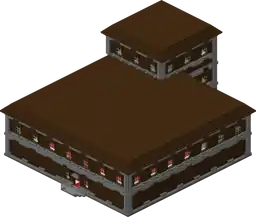
Woodland mansion Generate naturally in the dark forest biome. Yes Yes Floors are oak planks instead of birch planks and do not generate flags.
Fossil

Generates naturally underground in the desert and swamp biomes. No No Made of bone blocks and coal ore.

Changed

Name Image Changed
General Changed world generation. Seeds containing preloaded structures such as ocean monument and igloo may spawn them in different places.
Igloo

If the igloo is generated in the ice spike land, the bed inside will be a blue bed; if it is generated in the cold taiga, it will be a brown bed.

Gameplay

New

Name Description
Off-hand slot Arrow and totem of undying can be placed.
Enchantment
Game mode New game mode: Adventure.

Changed

Name Changed
Health and hunger The health bar and hunger bar are now above the experience bar.

Achievements

IconAchievementIn-game descriptionActual requirements (if different)Gamerscore earnedTrophy type (PS)
PS4Other
Cheating DeathUse the Totem of Undying to cheat deathHave the Totem of Undying in your hand when you die.30Silver
Feeling IllDefeat an Evoker30Silver
Let It Go!Using the Frost Walker boots, walk on at least 1 block on frozen water on a deep ocean20Bronze
Organizational WizardName a Shulker Box with an Anvil30Bronze
So I Got That Going for MeLead a Caravan containing at least 5 Llamas20Bronze
Treasure HunterAcquire a map from a cartographer villager, then enter the revealed structureVisit the structure indicated while the purchased map is in your main hand (hotbar).40Silver

See also