Java Edition guides/Bundles of Bravery

For the Bedrock Edition version of this guide, see Bedrock Edition guides/Bundles of Bravery.
Bundles of Bravery
Edition

Java Edition

Official name

Bundles of Bravery

Version(s)

This guide is a simplified overview of all non-experimental changes in the Bundles of Bravery drop (Java Edition 1.21.2 to 1.21.3), which assumes at least some familiarity with the Tricky Trials update (Java Edition 1.21 and 1.21.1), excluding experimental features in these versions.

Mobs

Changed

Name Image Changed
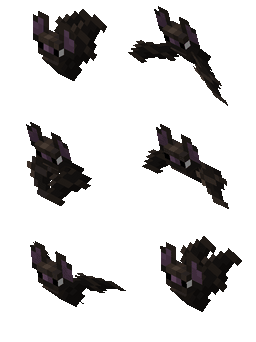
Bat Can now spawn at any height, not just below sea level, as long as it is dark enough and there is a solid block to spawn on.
Blaze Changed the texture for the bottom face of the blaze's rods.
Breeze No longer have a minimum distance required to attack a target.
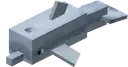
Dolphin,
glow squid,
and squid


  • Now have a baby variant.
  • There is a 10% chance (for dolphins) or 5% chance (for glow squids and squids) that animals spawned in groups in the wild are babies.
Salmon Now has small and large variants.
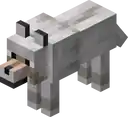
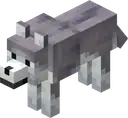
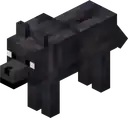
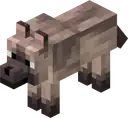
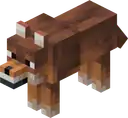
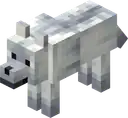
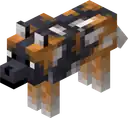
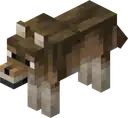
Wolf Can now also be fed cod, cooked cod, salmon, cooked salmon, tropical fish, pufferfish and rabbit stew to heal, breed them or speed up their growth.

Blocks

Changed

Name Image Changed
Bee nest
and beehive

  • Now show information about its level of honey and number of bees.
  • Now use their "full" texture when held or in the inventory, and they are at max level of honey.
Loom Now requires field masoned banner pattern and bordure indented banner pattern to craft corresponding banners.
Nether portal
  • Reduced teleport cooldown for minecarts and boats from 15 seconds to 0.5 seconds.
  • Reduced teleport cooldown for projectiles from 15 seconds to 0.1 seconds.
Redstone torch Model and item texture has been updated.
Redstone repeater and
redstone comparator

Model has been updated to match the new redstone torch model.

Items

New

Name Image Obtaining Uses
Bundle
Name Ingredients Crafting recipe
Bundle String +
Leather
Invicon String.png: Inventory sprite for String in Minecraft as shown in-game linking to String with description: StringInvicon Leather.png: Inventory sprite for Leather in Minecraft as shown in-game linking to Leather with description: Leather
Invicon Bundle.png: Inventory sprite for Bundle in Minecraft as shown in-game linking to Bundle with description: Bundle
Dyed Bundle Any Bundle +
Matching Dye
Invicon Bundle.png: Inventory sprite for Bundle in Minecraft as shown in-game linking to Bundle with description: BundleInvicon White Bundle.png: Inventory sprite for White Bundle in Minecraft as shown in-game linking to White Bundle with description: White BundleInvicon Light Gray Bundle.png: Inventory sprite for Light Gray Bundle in Minecraft as shown in-game linking to Light Gray Bundle with description: Light Gray BundleInvicon Gray Bundle.png: Inventory sprite for Gray Bundle in Minecraft as shown in-game linking to Gray Bundle with description: Gray BundleInvicon Black Bundle.png: Inventory sprite for Black Bundle in Minecraft as shown in-game linking to Black Bundle with description: Black BundleInvicon Brown Bundle.png: Inventory sprite for Brown Bundle in Minecraft as shown in-game linking to Brown Bundle with description: Brown BundleInvicon Red Bundle.png: Inventory sprite for Red Bundle in Minecraft as shown in-game linking to Red Bundle with description: Red BundleInvicon Orange Bundle.png: Inventory sprite for Orange Bundle in Minecraft as shown in-game linking to Orange Bundle with description: Orange BundleInvicon Yellow Bundle.png: Inventory sprite for Yellow Bundle in Minecraft as shown in-game linking to Yellow Bundle with description: Yellow BundleInvicon Lime Bundle.png: Inventory sprite for Lime Bundle in Minecraft as shown in-game linking to Lime Bundle with description: Lime BundleInvicon Green Bundle.png: Inventory sprite for Green Bundle in Minecraft as shown in-game linking to Green Bundle with description: Green BundleInvicon Cyan Bundle.png: Inventory sprite for Cyan Bundle in Minecraft as shown in-game linking to Cyan Bundle with description: Cyan BundleInvicon Light Blue Bundle.png: Inventory sprite for Light Blue Bundle in Minecraft as shown in-game linking to Light Blue Bundle with description: Light Blue BundleInvicon Blue Bundle.png: Inventory sprite for Blue Bundle in Minecraft as shown in-game linking to Blue Bundle with description: Blue BundleInvicon Purple Bundle.png: Inventory sprite for Purple Bundle in Minecraft as shown in-game linking to Purple Bundle with description: Purple BundleInvicon Magenta Bundle.png: Inventory sprite for Magenta Bundle in Minecraft as shown in-game linking to Magenta Bundle with description: Magenta BundleInvicon Pink Bundle.png: Inventory sprite for Pink Bundle in Minecraft as shown in-game linking to Pink Bundle with description: Pink BundleInvicon White Dye.png: Inventory sprite for White Dye in Minecraft as shown in-game linking to White Dye with description: White DyeInvicon Light Gray Dye.png: Inventory sprite for Light Gray Dye in Minecraft as shown in-game linking to Light Gray Dye with description: Light Gray DyeInvicon Gray Dye.png: Inventory sprite for Gray Dye in Minecraft as shown in-game linking to Gray Dye with description: Gray DyeInvicon Black Dye.png: Inventory sprite for Black Dye in Minecraft as shown in-game linking to Black Dye with description: Black DyeInvicon Brown Dye.png: Inventory sprite for Brown Dye in Minecraft as shown in-game linking to Brown Dye with description: Brown DyeInvicon Red Dye.png: Inventory sprite for Red Dye in Minecraft as shown in-game linking to Red Dye with description: Red DyeInvicon Orange Dye.png: Inventory sprite for Orange Dye in Minecraft as shown in-game linking to Orange Dye with description: Orange DyeInvicon Yellow Dye.png: Inventory sprite for Yellow Dye in Minecraft as shown in-game linking to Yellow Dye with description: Yellow DyeInvicon Lime Dye.png: Inventory sprite for Lime Dye in Minecraft as shown in-game linking to Lime Dye with description: Lime DyeInvicon Green Dye.png: Inventory sprite for Green Dye in Minecraft as shown in-game linking to Green Dye with description: Green DyeInvicon Cyan Dye.png: Inventory sprite for Cyan Dye in Minecraft as shown in-game linking to Cyan Dye with description: Cyan DyeInvicon Light Blue Dye.png: Inventory sprite for Light Blue Dye in Minecraft as shown in-game linking to Light Blue Dye with description: Light Blue DyeInvicon Blue Dye.png: Inventory sprite for Blue Dye in Minecraft as shown in-game linking to Blue Dye with description: Blue DyeInvicon Purple Dye.png: Inventory sprite for Purple Dye in Minecraft as shown in-game linking to Purple Dye with description: Purple DyeInvicon Magenta Dye.png: Inventory sprite for Magenta Dye in Minecraft as shown in-game linking to Magenta Dye with description: Magenta DyeInvicon Pink Dye.png: Inventory sprite for Pink Dye in Minecraft as shown in-game linking to Pink Dye with description: Pink Dye
Invicon White Bundle.png: Inventory sprite for White Bundle in Minecraft as shown in-game linking to White Bundle with description: White BundleInvicon Light Gray Bundle.png: Inventory sprite for Light Gray Bundle in Minecraft as shown in-game linking to Light Gray Bundle with description: Light Gray BundleInvicon Gray Bundle.png: Inventory sprite for Gray Bundle in Minecraft as shown in-game linking to Gray Bundle with description: Gray BundleInvicon Black Bundle.png: Inventory sprite for Black Bundle in Minecraft as shown in-game linking to Black Bundle with description: Black BundleInvicon Brown Bundle.png: Inventory sprite for Brown Bundle in Minecraft as shown in-game linking to Brown Bundle with description: Brown BundleInvicon Red Bundle.png: Inventory sprite for Red Bundle in Minecraft as shown in-game linking to Red Bundle with description: Red BundleInvicon Orange Bundle.png: Inventory sprite for Orange Bundle in Minecraft as shown in-game linking to Orange Bundle with description: Orange BundleInvicon Yellow Bundle.png: Inventory sprite for Yellow Bundle in Minecraft as shown in-game linking to Yellow Bundle with description: Yellow BundleInvicon Lime Bundle.png: Inventory sprite for Lime Bundle in Minecraft as shown in-game linking to Lime Bundle with description: Lime BundleInvicon Green Bundle.png: Inventory sprite for Green Bundle in Minecraft as shown in-game linking to Green Bundle with description: Green BundleInvicon Cyan Bundle.png: Inventory sprite for Cyan Bundle in Minecraft as shown in-game linking to Cyan Bundle with description: Cyan BundleInvicon Light Blue Bundle.png: Inventory sprite for Light Blue Bundle in Minecraft as shown in-game linking to Light Blue Bundle with description: Light Blue BundleInvicon Blue Bundle.png: Inventory sprite for Blue Bundle in Minecraft as shown in-game linking to Blue Bundle with description: Blue BundleInvicon Purple Bundle.png: Inventory sprite for Purple Bundle in Minecraft as shown in-game linking to Purple Bundle with description: Purple BundleInvicon Magenta Bundle.png: Inventory sprite for Magenta Bundle in Minecraft as shown in-game linking to Magenta Bundle with description: Magenta BundleInvicon Pink Bundle.png: Inventory sprite for Pink Bundle in Minecraft as shown in-game linking to Pink Bundle with description: Pink Bundle
  • Store up to a stack's worth of mixed item types within itself in a single inventory slot.
    • The space taken up by an item depends on its stack size. For example, an item that stacks to 16 (like snowballs) takes up four times as much space as an item that stacks to 64 (like sticks).
    • Items that do not stack (like swords) occupy the entire bundle.
  • Can be dyed in 16 different colors.
Field masoned banner pattern
Ingredients Crafting recipe
Paper +
Bricks
Invicon Paper.png: Inventory sprite for Paper in Minecraft as shown in-game linking to Paper with description: PaperInvicon Bricks.png: Inventory sprite for Bricks in Minecraft as shown in-game linking to Bricks with description: Bricks
Invicon Field Masoned Banner Pattern.png: Inventory sprite for Field Masoned Banner Pattern in Minecraft as shown in-game linking to Field Masoned Banner Pattern with description: Field Masoned Banner Pattern
Can be used to customize a banner.
Bordure indented banner pattern
Ingredients Crafting recipe
Paper +
Vines
Invicon Paper.png: Inventory sprite for Paper in Minecraft as shown in-game linking to Paper with description: PaperInvicon Vines.png: Inventory sprite for Vines in Minecraft as shown in-game linking to Vines with description: Vines
Invicon Bordure Indented Banner Pattern.png: Inventory sprite for Bordure Indented Banner Pattern in Minecraft as shown in-game linking to Bordure Indented Banner Pattern with description: Bordure Indented Banner Pattern
Can be used to customize a banner.

Changed

Name Image Changed
Banner patterns Added unique item textures for each banner pattern.

Non-mob entities

Changed

Name Image Changed
Minecart with TNT
  • Added the explosion_power field, controlling how powerful the explosion is.
    • Defaults to 4.
    • Field value is added to speed-based explosion power.
Primed TNT
  • Added the explosion_power field, controlling how powerful the explosion is.
    • Defaults to 4.
Arrow and trident
Now bounce on the world border if hit.
Thrown ender pearl
  • Now loads and ticks chunks around it in a 3x3 chunk area.
    • Ender pearls now ensure that the chunk they are in or travel into is always loaded and ticking.
    • An ender pearl creates a ticket for chunk loading any time it moves into a new chunk, and also periodically every 10 seconds.
    • They also load chunks when crossing to a new dimension, so that they can always continue to travel.
    • This ensures that ender pearls can always land, and makes cross dimensional ender pearl traveling more predictable.
    • Ender pearls now unload when a player logs out, and reappear whenever that player logs back in, similar to how mounts behaved previously.

Gameplay

New

Name Description
Death messages
  • Added a new death message for when killed by a mace smash attack.
    • <player/mob> was smashed by <player/mob>
    • <player/mob> was smashed by <player/mob> with <item>
Sounds Added unique break, fall, hit, place, and step sounds for monster spawners.

Changed

Name Changed
Oxygen bar
  • Added an empty state for air bubbles () along with a wobble when the player is drowning.
  • Added a popping sound for when bubbles pop on the oxygen bar, increasing in pitch depending on the oxygen left.
Rarity The rarity of all items and blocks in the game has been re-evaluated to more accurately reflect the current challenge of obtaining them.
Creative mode Throwing items out of the inventory quickly in creative mode is now throttled.
Raids
  • A triggered raid no longer starts if the raiders cannot find a place to spawn within a reasonable distance of the village they are trying to raid.
  • Raiders must find a place to spawn no more than 96 blocks vertically above or below the village center, or a raid cannot start.
  • It is now much less likely for raiders to not find a valid place to spawn when raiding.

See also