Skin


Skins refer to the textures that are placed onto the player character model. Skins can be easily created using a skin editor.
Default skins
| Alex | Ari | Efe | Kai | Makena | Noor | Steve | Sunny | Zuri |
|---|---|---|---|---|---|---|---|---|

|

|

|

|

|

|

|

|

|

|

|

|

|

|

|

|

|

|
| Alex | Ari | Efe | Kai | Makena | Noor | Steve | Sunny | Zuri |
|---|---|---|---|---|---|---|---|---|

|

|

|

|

|

|

|

|

|

|

|

|

|

|

|

|

|

|
Properties
Skins are divided into areas that act as the surface area of the character (for example, the front head area, left leg area, etc.) They are stored as 64×64 templates, consisting of two layers of 1,632 usable pixels, making 3,264 total. In Bedrock Edition, players can also use 128×128 templates, consisting of two layers of 6,528 usable pixels, making 13,056 total. The second layer can be used to give the character glasses, hats, or other accessories (even a bigger head).
Skins set to "slim" lose 25% of their arms' width, and the rightmost pixels in the skins' images are ignored. Slim skins from 64×64 templates have two layers of 1,568 usable pixels, making 3,136 total, and slim skins from 128×128 templates have two layers of 6,272 usable pixels, making 12,544 total.
In Bedrock Edition, if players set any of their top or bottom layer pixel opacities to 25 (≈10%) or lower, those pixels will appear completely invisible, and if their opacities are 26 or higher, they will appear completely visible.
In Java Edition, any pixels on the bottom layer of uploaded skins will become fully visible if not already, but their red, green, and blue values will be rounded to parts per opacity value instead of parts per 255 (then will be rounded back into parts per 255), or will appear black if opacity is 0. For example, if a pixel's red, green, and blue values are 255, 13, 142, with an opacity of 2, their red, green, and blue values will be rounded to parts per two, as one of 0/2, ~1/2, or 2/2 (0, 128, or 255), and become 255, 0, 128, with an opacity of 255.
Pixel size of the 2nd layer on body, arms and legs is 0.25 pixel bigger than the skin pixel (inner layer). For head 2nd layer (Hat layer) it is 0.5 pixels bigger than the skin layer (inner layer).
World textures
A skin can also refer to other textures in the game, such as block textures, item sprites, mob skins, etc. A list of these can be found here.
It is worth noting that a zombie and its variants can use typical player skins (and vice-versa). Skeleton mobs can use typical player skins as well, but keep in mind that they have their skinny arms and legs. If a skeleton mob skin is used as a player's skin, their legs and arms do not appear skinny.
In order to use the player skin for zombies, the user must align it to the correct place on the .png to avoid a visual break in the texture.
Changing or installing player skins
Java Edition
Only players who have purchased Minecraft can change their character's skin. This is done on the profile page or in the Minecraft Launcher by uploading a valid .png texture that is 64×64 pixels, or a legacy texture that is 64×32 pixels, which then replaces the default skin.
-
 What the Minecraft website's profile page looks like.
 -
 What the Change Skin page on the Minecraft website looks like.
 -
 What the Minecraft Launcher's Skin Tab looks like.
 -
 What it looks like to add a new skin in the Minecraft Launcher.
Skins also have the option of having either 3 or 4 pixel wide arms, which can be changed on the profile page as well.[1]
The steve.png and alex.png files in client.jar can also be changed and replaced via a resource pack, but the effects are visible only to players using the resource pack, and affects all players with the default skin.
Bedrock Edition
Since 1.19.50, players can choose one of the nine default skins, between Steve, Alex, Ari, Kai, Noor, Sunny, Zuri, Efe, or Makena, or they can apply their own custom skin on Windows and mobile devices such as Android/iOS (uses the same format as Java Edition). The player must select a valid skin image file from their file explorer/photo gallery, and must choose between the two model sizes (classic/slim). Players can also spend minecoins to buy skin packs from the Marketplace. The player has to sign in to their Microsoft (or their respective console account on PlayStation/Nintendo) to access all the skins they owned and bought from the Marketplace.
Players can also make their own skin packs, which must include a manifest.json file, a skins.json file, and all the desired skins. An additional .lang file can be added inside a folder labeled texts to display the skin names, but the game can register the skins without it.
Character creator

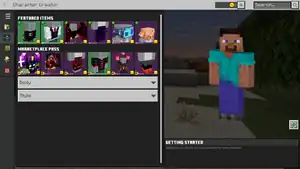
The character creator is a feature in Bedrock Edition (and was in Minecraft Earth until discontinuation) that lets players customize their skins with free and paid-for cosmetic items. It can be accessed by selecting the dressing room button on the main menu. Many clothing items cost Minecoins (Tokens on PlayStation 4) or can be earned by completing certain achievements. It can also be used to equip capes, and also changing player skin sizes.
Skin packs
Skin packs are collections of multiple wearable skins and available in Bedrock Edition as downloadable content. They can be acquired through:
- The Marketplace, which officially hosts a large number of skin packs by Mojang Studios and their partners. Most of them cost Minecoins (Tokens on PS4), but some have been released for free.
- The
.mcskinfiles put in theskin_packsordevelopment_skin_packsfolder in the game files (may be inaccessible on consoles). - External sources such as community hosted repositories for skin packs.
Java Edition skin packs
The following skin packs were released on minecraft.net by Mojang Studios for certain events.
There might be more Java Edition exclusive skin packs released by Mojang Studios not yet listed in this table.
| Name | Download Links | Article | Notes |
|---|---|---|---|
| MINECON Earth 2017 Skin Pack | minecraft.net | Slip on some MINECON Skins! | This skin pack is the same as in Bedrock Edition. |
| Builders & Biomes | minecraft.net | Farmer's Market | This skin pack is the same as in Bedrock Edition. |
| Striding Hero | minecraft.net | Community Celebration: Simburbia and Striding Hero | Includes six player skins from the "Striding Hero" Java Edition map. |
| The Garden Awakens | minecraft.net | Play The Garden Awakens: The New Holiday Game Drop | Includes two player skins promoting the release of The Garden Awakens. |
| Chase the Skies | minecraft.net | Take Your Adventures to New Heights: Introducing Chase the Skies | Includes two player skins promoting the release of Chase the Skies. |
Templates
Many players prefer their own unique skin. While many premade skins can be found online, many players prefer to create their own.
A custom skin is a way to personalize the player model and can be done either by using a variety of community-made skin editors, or by editing the steve.png or alex.png file manually with an image editor like Photoshop, GIMP, Paint.net or similar image editors. The steve.png file can be downloaded here and the alex.png file here. When editing the steve.png or alex.png file manually, be sure to keep the original image dimensions and make the background of the skin (the unused pixels) completely transparent. Otherwise, Minecraft may fail to recognize the skin as intended.
Alternatively, some may find it easier to use a program, either downloadable or in-browser, which provides a live view of their character on a three-dimensional model as they are editing the skin. For example, programs may further assist players by providing them with a wide variety of pre-made selections (such as hats, boots, sweaters, etc.) to give the skin creator exactly what they want, even if the creator has little to no artistic skill.
After making a custom skin, either by using a skin editor or by editing the steve.png file directly, one still needs to upload the .png file at the Skin section of the Profile page on Minecraft.net (found here) before the skin is applied. Other players in multiplayer can also see this skin. Note that players cannot see the custom skin if they are not logged in or when playing offline.
Official skin templates
-

-

-

-

-
 Skin sample from the Tutorial Skin Pack.
Other templates
-
 The modern layered skin template; every body part can have a second layer, marked by the darker palette areas.
 -
 An adaptation of the previous template, color-coded to match the appropriate faces of the skin: front, back, left, right, top and bottom. The checked areas represent the secondary layer.
 -
 A template for the slim arms/"Alex" model.
 -
 An adaptation of the slimmer arms template, color-coded to match the appropriate faces of the skin: front, back, left, right, top and bottom. The checked areas represent the secondary layer.
 -
 Another skin template.
 -
 Color-coded old skin template with all faces labeled.
 -
 Another skin guide, but on a black background. For the arm and leg sections only, "right" indicates those facing outward, and "left" indicates inward.
 -
 Deadmau5's skin (not a guide).
 -
 Template for deadmau5's ears. Use other templates listed here for the skin.
Video
History
| Java Edition pre-Classic | |||||||
|---|---|---|---|---|---|---|---|
| rd-132328 |  Mobs were added with their skin and model from Zombie Town. These are later used for the player. Mobs were added with their skin and model from Zombie Town. These are later used for the player. | ||||||
| Java Edition Classic | |||||||
| June 10, 2009 | Notch announces intentions to add custom skins "starting very soon". | ||||||
| June 13, 2009 | Custom player skins are tested. | ||||||
| 0.0.18a | Custom skins released. | ||||||
| 0.24 SURVIVAL TEST |  The player skin was changed. The player skin was changed.
| ||||||
| The arms and legs of the player are now mirrored on opposite sides; they were previously not. | |||||||
| Hat layers are released to skins, increasing customizability. | |||||||
| 0.28 |  The player skin was changed, once again, removing the beard. The player skin was changed, once again, removing the beard. | ||||||
| Java Edition Beta | |||||||
| 1.2_02 | Skins are now downloaded through an Amazon S3 server. Previously, they were downloaded from the Minecraft website.[2] Due to this, players trying to play older versions of the game may find their custom skin unable to be loaded in-game. | ||||||
| Java Edition | |||||||
| 1.0.0 | Beta 1.9 Prerelease 4 | All "bottom" textures (including hand and foot) have been flipped 180 degrees. It's worth mentioning that the textures were specifically flipped and not rotated because an updated texture with the bottom surface rotated as opposed to flipped may display incorrectly depending on the intended alignment with relation to the rest of the skin. | |||||
| April 1, 2014 | On April 1st, all skins applied to players were changed and locked to villager skins as an April Fools' prank. Capes were still shown, however, if the user had one. | ||||||
| 1.8 | 14w03a | Skins have received an overhaul; right and left legs/arms can now be edited independently and the hat layer now counts for the whole body, meaning overlays can now be added on skins. This means there are now 3.06013 × 1023,581 unique Minecraft skins instead of 2.29507 × 1011,328 previously. | |||||
| 14w04a | Now displays the right arm's second layer in first person view. | ||||||
| pre1 |  Added a new player model with smaller arms, and a new player skin called Alex. Added a new player model with smaller arms, and a new player skin called Alex. | ||||||
| 1.9 | 15w47a | Overlay layers (hat, jacket, sleeves, and pants) correctly render semitransparent pixels, instead of just fully opaque and fully transparent pixels. | |||||
| August 20, 2022 |     New skin textures for Steve and Alex were added in the Minecraft Launcher, including classic and slim versions. New skin textures for Steve and Alex were added in the Minecraft Launcher, including classic and slim versions. | ||||||
| October 15, 2022 | Seven new default skins (Sunny, Efe, Zuri, Noor, Ari, Makena, and Kai) are announced at Minecraft Live 2022. | ||||||
| October 20, 2022 | Added the seven new default skins. | ||||||
| New skin textures for Steve and Alex were added in the Minecraft Launcher. | |||||||
| 1.19.3 | 22w45a | Integrated player skin now stored separately by wide and slim model. | |||||
    Updated integrated skins of Steve and Alex. Updated integrated skins of Steve and Alex.
| |||||||
       Integrated the seven new default skins. Integrated the seven new default skins.
| |||||||
| The seven new default skins can be assigned to offline players now. | |||||||
| Pocket Edition Alpha | |||||||
| v0.11.0 | build 1 | Added skins. Players can choose 'Steve' and 'Alex' models or their own custom skin (uses the same format as in Java Edition). | |||||
| build 10 |   Added the first two skin packs: City Folk and Town Folk. Each skin pack has 5 free skins, and purchasing the skin pack unlocks the rest of the skins. Skin packs cost USD $0.99. Added the first two skin packs: City Folk and Town Folk. Each skin pack has 5 free skins, and purchasing the skin pack unlocks the rest of the skins. Skin packs cost USD $0.99. | ||||||
| v0.12.3 |    Added the Halloween Costumes Skin Pack. Added the Halloween Costumes Skin Pack. | ||||||
| v0.13.0 | build 5 |    Added Biome Settlers Skin Pack 1. Added Biome Settlers Skin Pack 1. | |||||
| v0.13.1 |    Added the Holiday Skin Pack 2015. Added the Holiday Skin Pack 2015. | ||||||
| v0.13.2 |    Added the Journey to the West Skin Pack. Added the Journey to the West Skin Pack. | ||||||
| v0.14.0 | build 7 |      Added the Redstone Specialists Skin Pack. Added the Redstone Specialists Skin Pack. | |||||
| v0.14.1 |      Added Story Mode Skin Pack. Added Story Mode Skin Pack. | ||||||
| v0.14.3 |       Added Biome Settlers Skin Pack 2. Added Biome Settlers Skin Pack 2. | ||||||
| v0.15.4 |      Added Villains Skin Pack. Added Villains Skin Pack. | ||||||
| v0.15.9 |     Added MINECON 2016 Skin Pack, available for a limited time. Added MINECON 2016 Skin Pack, available for a limited time. | ||||||
| 30 September 2016 | The Minecraft twitter starts tweeting out teasers for skins planned to be added in the Campfire Tales Skin Pack in v0.15.10 | ||||||
| v0.15.10 |      Added Campfire Tales skin pack. Added Campfire Tales skin pack. | ||||||
| 4 October 2016 | The last 'teaser-tweet' for the Campfire Tales Skin pack is sent, after the skin pack was released. | ||||||
| 7 October 2016 | The limited-time offer for the MineCon 2016 Skin pack is over, it has been removed from all app stores and its redemption code is now expired. Players who obtained it while it was available are still able to use it. | ||||||
| Pocket Edition | |||||||
| 1.0.0 | alpha 0.17.0.1 | Added Festive 2016 Mash-up pack. | |||||
| 1.0.4 |    Added Strangers - Biome Settlers 3. Added Strangers - Biome Settlers 3. | ||||||
| 1.0.5 | |||||||
   Added Mighty Morphin Power Rangers. Added Mighty Morphin Power Rangers. | |||||||
| 1.0.6 | Added Chinese Mythology Mash-up pack. | ||||||
| 1.0.7 | Added Fallout Mash-up pack. | ||||||
| 1.0.8 | Added Magic: The Gathering Skin Pack. | ||||||
| 1.0.9 | Added Greek Mythology Mash-up pack. | ||||||
| 1.1.0 | Added Minecraft Marketplace, which has the community skin packs. | ||||||
| Added Skyrim Mash-up pack. | |||||||
| 1.1.3 | Added Adventure Time Mash-up pack. | ||||||
| Bedrock Edition | |||||||
| 1.13.0 | beta 1.13.0.15 | The character creator has been added in-game. | |||||
| 1.19.50 | Preview 1.19.50.21 |        Added seven new default skins: Sunny, Efe, Zuri, Noor, Ari, Makena, and Kai. Added seven new default skins: Sunny, Efe, Zuri, Noor, Ari, Makena, and Kai.
| |||||
| The textures of default skins Steve and Alex were changed. | |||||||
| 1.21.20 | ? | Changed default body colors of all preset skins in the character creator to approximately match Java Edition.[3] | |||||
| Legacy Console Edition | |||||||
| Xbox 360 | Xbox One | PS3 | PS4 | PS Vita | Wii U | Switch | |
| TU3 | CU1 | 1.00 | 1.00 | 1.00 | Patch 1 | 1.0.1 | Added Character Skin Selector to allow players to choose their skin from the default skins or from downloadable skin packs. |
      The first skin pack is available as downloadable content. The first skin pack is available as downloadable content. | |||||||
| TU24 | CU12 | 1.16 | 1.16 | 1.16 |         8 'Alex' model skins added to default skin pack. 8 'Alex' model skins added to default skin pack. | ||
Historical images
-
 The first skins being tested in Minecraft Classic.
 -
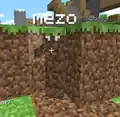 A camouflage skin in Minecraft Classic.
 -
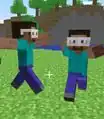 The first image of a skin's hat layer, from Notch's blog.
 -
 First image of the slim arms option.
 -
 Second image of the slim arms option.
 -
 Third image of the slim arms option.
 -
 Fourth image of the slim arms option.
 -
 Fifth image of the slim arms option.
Number of Skins
The total number of possible unique player skins varies immensely, depending on version, as well as what is considered unique. Below are tables with the number of unique skins on Java and Bedrock Edition, with cells within rows and columns that correspond to different rules. Cells in the left columns consider all completely transparent pixels to be the same, while the ones on the right consider them to be unique.
| Allowing Upper Layer Translucency (ot = 256),
Not Allowing Bottom Layer Transparency (ob = 1) | |||
|---|---|---|---|
| All 0-Opacity Pixels Same (s = False) | All 0-Opacity Pixels Different (s = False) | ||
| 64×64
(t = 4) |
Slim | (224 × 255 + 1)1568 × 237632
≈ 1.501 746 863 × 1026430 |
287808
≈ 6.947 991 250 × 1026432 |
| Wide | (224 × 255 + 1)1632 × 239168
≈ 9.105 734 170 × 1027508 |
291392
≈ 5.412 073 956 × 1027511 | |
| Not Allowing Upper Layer Translucency (ot = 2),
Allowing Bottom Layer Transparency (ob = 2) | |||
|---|---|---|---|
| All 0-Opacity Pixels Same (s = True) | All 0-Opacity Pixels Different (s = False) | ||
| 64×64
(t = 4) |
Slim | (224 + 1)3136
≈ 5.268 352 583 × 1022656 |
278400
≈ 5.644 949 436 × 1023600 |
| Wide | (224 + 1)3264
≈ 3.060 728 626 × 1023581 |
281600
≈ 1.115 953 711 × 1024564 | |
| 128×128
(t = 8) |
Slim | (224 + 1)12544
≈ 7.703 699 416 × 1090626 |
2313600
≈ 1.015 407 167 × 1094403 |
| Wide | (224 + 1)13056
≈ 8.776 054 301 × 1094325 |
2326400
≈ 1.550 903 312 × 1098256 | |
The formulae below can be used to find the number of skins with a given width, template dimensions, etc. It essentially finds the number of potential states for pixels on the bottom layer, multiplies that by the number of potential states for pixels on the top layer, then sets that to the power of the total number of pixels on each layer.
, where:
is the number of possible values for each bottom layer pixel
is the number of possible values for each bottom layer pixel
is the number of possible opacity values for each bottom layer pixel
is the number of possible opacity values for pixels on the top layer.
is the thickness, equal to the number of pixels wide legs are: 4 for 64×64, 8 for 128×128
is the arm thickness/thickness ratio: 1 for wide, 0.75 for slim
is the "sameness" of 0-alpha pixels: True if all 0-alpha pixels are considered the same regardless of color, False otherwise
In an AntVenom video, he calculated a total of 281600 × 53264 (≈3.060 133 2201 × 1026845) skins. The rules he used were to include only wide skins, allow transparent pixels only on the top layer, consider all fully transparent pixels to be unique, and include only 100 possible opacity values (αb = 1, αt = 100, t = 4, A = 1, s = 0).
Issues
Issues relating to "Skin" are maintained on the bug tracker. Issues should be reported and viewed there.
Trivia

- In April 2018, malware was discovered in several downloadable user-made Minecraft skins for use with the Java Edition of the game.[4][5] Avast stated that nearly 50,000 accounts were infected, and when activated, the malware would attempt to reformat the user's hard drive.[5][4] Mojang promptly patched the issue, and released a statement stating that "the code would not be run or read by the game itself",[4] and would run only when the image containing the skin itself was opened.[6]
Gallery
-
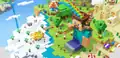 Official artwork showing Steve and Alex variants from Minecraft: China Edition's website.
 -
 Marc's Heads are accounts with specific skins made for decoration.
 -
 An example of a custom skin.
 -
 Another example.
 -
 Third example.
 -
 A variety of Alex skins available in the Legacy Console Edition. Left to right: Tennis, Tuxedo, Athlete, Default, Swedish, Cyclist, Prisoner, and Boxer.
 -
![Multiple size options for skins.[Bedrock Edition only]](./_assets_/aab5f01ce2c07b27eeede510eb1226a2.png) Multiple size options for skins.
Multiple size options for skins. -
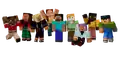 A render of the full cast, used when first entering the character creator.
 -
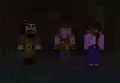 A screenshot of various skins used to promote Minecraft spin-offs; Ivor from Minecraft: Story Mode, Buff Butcher from Builders & Biomes, and Bianca from Minecraft: The Crash.
Renders
-
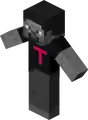 Testvan's skin as seen in an early skin test screenshot.
 -
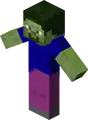 Mezo's skin as seen in an early skin test screenshot.
 -
 Mezo in a camouflaged skin.
 -
 Notch's hat layer test skin.
 -
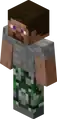 Steve's friend from the Official Minecraft Trailer.
 -
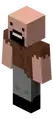 Notch's skin.
 -
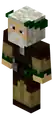 Jeb's skin.
 -
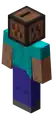 C418's skin.
 -
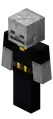 Jappa's skin.
 -
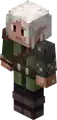 Slicedlime's skin.
 -
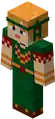 LadyAgnes's skin.
 -
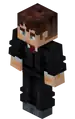 Kingbdogz's skin.
 -
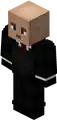 Searge's skin.
 -
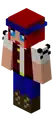 ExcitedZe's skin.
 -
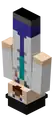 Dinnerbone's skin.
 -
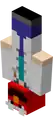 Grum's skin.
 -
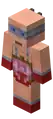 mollstam's skin.
 -
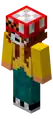 slamp00's skin.
 -
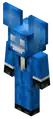 Deadmau5's skin (blue version).
 -
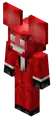 Deadmau5's skin (red version).
 -
 The base villager skin out of the 7 villager skins that all players wore during April Fools' Day 2014.
 -
 The butcher villager skin out of the 7 villager skins that all players wore during April Fools' Day 2014.
 -
 The farmer villager skin out of the 7 villager skins that all players wore during April Fools' Day 2014.
 -
 The librarian villager skin out of the 7 villager skins that all players wore during April Fools' Day 2014.
 -
 The priest villager skin out of the 7 villager skins that all players wore during April Fools' Day 2014.
 -
 The smith villager skin out of the 7 villager skins that all players wore during April Fools' Day 2014.
 -
 One of the 7 Villager skins that all players wore during April Fools' Day 2014. Of note is that Nitwits were unimplemented at the time.
 -
 Dummy.
 -
 Dummy but in Minecraft Earth.
See also
References
- ↑ "Slim-armed skins are now available to all! Visit http://minecraft.net/profile to make changes, or https://help.mojang.com/customer/portal/articles/979200-minecraft-skins for help! ^MW" – @MojangSupport on X (formerly Twitter), September 16, 2014
- ↑ Minecraft Beta 1.2_02 – The Word of Notch, January 21, 2011
- ↑ MCPE-163383
- ↑ a b c "Beware of malicious Minecraft skins that attempt to erase your hard drive" (Archive) by Paul Lilly, 18 April 2018.
- ↑ a b "Nearly 50,000 'Minecraft' Accounts Infected With Malware Thanks to Modified 'Skins'" (Archive) by Stefanie Fogel – Variety, 18 April 2018.
- ↑ "'Minecraft' Developer Issues Fix for Skins Virus" (Archive) by Stefanie Fogel – Variety, 19 April 2018.
External links
Skin editors:
See Tutorials/Programs_and_editors/Skinning_and_texturing for a more detailed list.
| |||||||||||||||||||||||
| |||||||||||||||||||||||