I am using Ubuntu 11.10 ( I reverted back from 12.04 to 11.10 because of stability issues). I would like to know is it possible to change the location of the password field in the login screen ?
Asked
Active
Viewed 1,744 times


2 Answers
11
Options for 11.10
The layout of the login screen is controlled by the greeter package (plugin) for LightDM; the default with the left-side layout is unity-greeter. There's no way to modify unity-greeter to do what you want short of changing the source code, but it's easy to get centered layout with these alternative greeters if you don't mind the slightly simple design:
1. Use the gtk-greeter:

sudo apt-get install lightdm-gtk-greeter
open
/etc/lightdm/lightdm.confand change thegreeter-session=unity-greeterto:greeter-session=lightdm-gtk-greeter
- save, exit, and either reboot or switch to the console (
Ctrl-Alt-F1) and runsudo service lightdm restart - 11.10 has a
qt-greeter(for Kubuntu) and themes for Mythbuntu, but they didn't work for me on regular Ubuntu
2. Switch to GDM for a similar layout to (1):
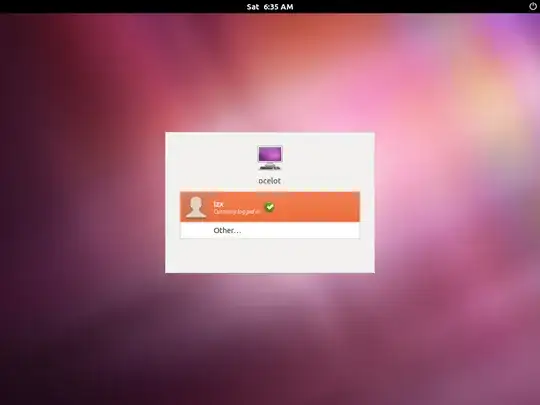

sudo apt-get install gdmswitch to GDM when you are prompted (see this answer for more details or a GUI way to install GDM)

-1
http://ubuntuforums.org/showthread.php?p=9068333#post9068333
Best tutorial I can find, but so far it has only been tested for Karmic.

Anzkji
- 11