I am using Ubuntu 20.04. I can now no longer login to my machine. Attempting to login will make the screen go black, and then I get thrown back to the purple login screen.
This is the timeline of the issue:
- I added a new alias to my .bashrc file.
- I did ‘source .bashrc’ in my terminal.
- Then I did a reboot and I can’t login.
I’ve tried using Ctrl+alt+f3, to login through the terminal but the same problem happens when I try login to the terminal.. It kicks me out again right away. Any help would be amazing!
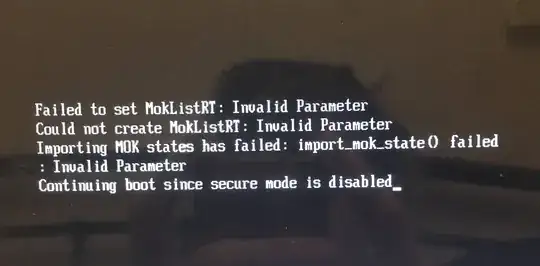
I have tried booting into recovery mode, but I feel like it might be disabled. Holding down escape during boot gets me stuck at this screen.
I feel I might be a bit screwed. I can’t access recovery mode, or login as root. And the login loop is persistent when logging in to the terminal or the gui login.