I downloaded the 64-bit Windows installed for "Tor Browser" from this URL:
https://www.torproject.org/download/download-easy.html.en
It installed and worked as expected and can display normal and .onion sites.
The first default page it displays is about:tor
Under "you can help" there is a link called Run a Tor Relay Node
which says:
Alas, since Vidalia (a graphical interface for Tor) is no longer included in Tor Browser, there are currently no easy relay packages for Windows and OS X users.
Followed by Configure Tor by editing the torrc file.
I edited my ..\Tor Browser\Browser\TorBrowser\Data\Tor\torrc file as directed and added the port forward to my firewall.
Unfortunately the Tor Browser failed to start after that and entered a failed to start, need to restart loop.
I enabled debug logging but nothing was added to the log during these events. I reverted the edits and verified the logging system actually worked. I trawled the tor site, Google and this site for further explicit information with no luck.
I am now assuming that the "Tor Browser" is 100% client and cannot relay traffic for any other users of the network.
Am I correct? If not, how do I active the relay functionality?
Clarification
I understand and followed the instructions on the Tor site. What I don't know is if they failed because they were never intended to work on the Tor Browser or for some other reason.
in response to Jens Kubieziel requests for more detailed test ....
Start with Tor Browser closed.
Contents of "S:\tor\Tor Browser\Browser\TorBrowser\Data\Tor\torrc" are:
# This file was generated by Tor; if you edit it, comments will not be preserved
# The old torrc file was renamed to torrc.orig.1 or similar, and Tor will ignore it

DataDirectory S:\tor\Tor Browser\Browser\TorBrowser\Data\Tor
GeoIPFile S:\tor\Tor Browser\Browser\TorBrowser\Data\Tor\geoip
GeoIPv6File S:\tor\Tor Browser\Browser\TorBrowser\Data\Tor\geoip6
Add this line at bottom:
Log debug file my_debug.log
Save and close.
Open Tor browser and go to Tor blog page, all Ok. Close Tor Browser.
A file has been created at "S:\tor\Tor Browser\Browser\my_debug.log" with 32000 odd log entries.
Change contents of "S:\tor\Tor Browser\Browser\TorBrowser\Data\Tor\torrc" to:
# This file was generated by Tor; if you edit it, comments will not be preserved
# The old torrc file was renamed to torrc.orig.1 or similar, and Tor will ignore it

DataDirectory S:\tor\Tor Browser\Browser\TorBrowser\Data\Tor
GeoIPFile S:\tor\Tor Browser\Browser\TorBrowser\Data\Tor\geoip
GeoIPv6File S:\tor\Tor Browser\Browser\TorBrowser\Data\Tor\geoip6

Log debug file my_debug.log

ORPort 443
Exitpolicy reject *:*
Nickname 78629847569874
ContactInfo ignore@fakedomain.com
Save and close.
Deleted contents of "S:\tor\Tor Browser\Browser\my_debug.log".
Open Tor browser.
Get following error message:
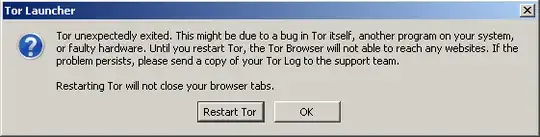
Check contents of "S:\tor\Tor Browser\Browser\my_debug.log", its blank.
Click "Restart Tor".
Get following error message:
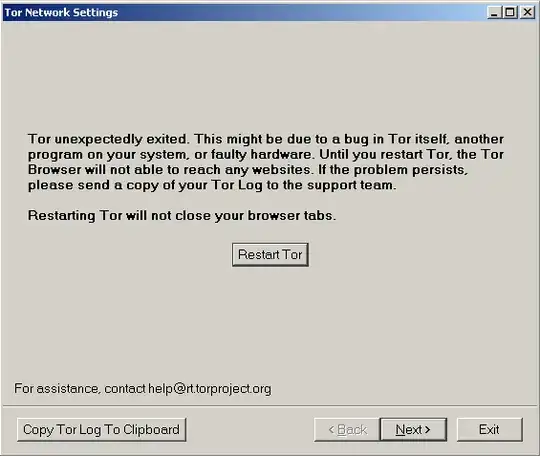
Check contents of "S:\tor\Tor Browser\Browser\my_debug.log", its blank.
Try the "Copy Tor Log To Clipboard" button and paste into notepad, also blank.
Click "Restart Tor".
Get same error message:
Logs still blank.
Click exit.
Get following error message:
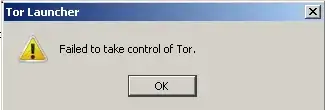
Click OK.
Check contents of "S:\tor\Tor Browser\Browser\my_debug.log", its blank.


