1. Edit /etc/ssh/sshd_config and add these directives at the bottom:
Match User guest
    Banner /etc/ssh/banner_guest
    DenyUsers guest
Match all
- Change
guest with the actual username.
2. Create the banner file: sudo nano /etc/ssh/banner_guest, and type your message inside, for example:
+------------------+
| Get out of here! |
+------------------+
3. Restart the SSH server:
sudo systemctl restart ssh.service
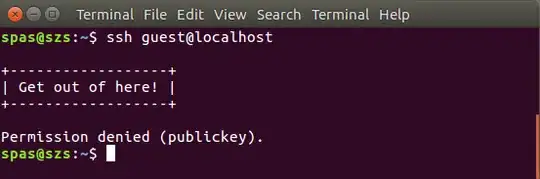
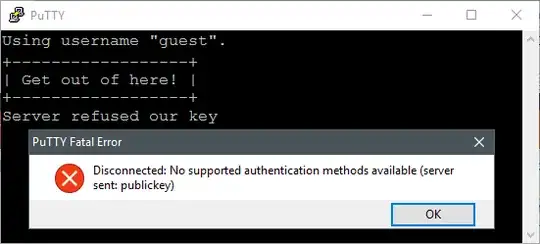
The result would be:
EDIT:
Please note regardless in the above example PubkeyAuthentication is available and there is a valid /home/guest/.ssh/authorized_keys file the user will get Permission denied (publickey).
If PasswordAuthentication is available the user will be asked few times for their password and in the end will get Permission denied (password). So if you want to further tease him (or her), change the above directives in this way:
Match User guest
    PasswordAuthentication yes
    PubkeyAuthentication no
    MaxAuthTries 20
    Banner /etc/ssh/banner_guest
    DenyUsers guest
Match all
For me the cleanest way is just show the message and kick them:
Match User guest
    PasswordAuthentication no
    PubkeyAuthentication no
    MaxAuthTries 1
    Banner /etc/ssh/banner_guest
    DenyUsers guest
Match all
The result of the above will be identical as the result of the first suggestion but the message Permission denied (publickey) (Server refused our key) will not appear.


