4

I don't want this prompt to use my default ubuntu login, I would like this to match the password I would use either on a chromebook, mac, or windows. In other words, similar behavior to the other operating systems.

How would I make it so that I typed in my chromebook login, for example?

Chromium keyring prompt

Text of the prompt:

"Enter password for keyring 'Chromium' to unlock" "An application wants access to the keyring 'Chromium', but it is locked"

1 Answers1

3

Specifically for 14.04

WARNING: Do not change your password to blank, as other answers have suggested. This could be dangerous.

1.) Run Password and Keyring or seahorse (if you dont have it installed, you can install it by running following command in teminal sudo apt install seahorse)

2.) File -> New (or Ctrl+N)

seahorse, the keyring program for ubuntu

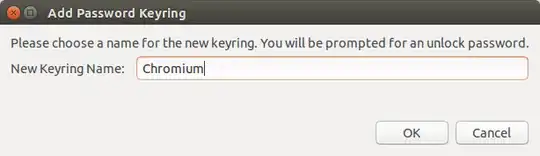
3.) Name a new 'Password Keyring' as "Chromium"

enter image description here

4.) Enter your 'Chromium' password.

enter image description here

End Result is different passwords for your login and your google chrome keyring, keeping them separate.

enter image description here

Sadegh
  • 1,125