I tried several time to change my log in screen by using sudo dpkg-reconfigure lightdm. I choose lightdm from here. But my log in screen is unchanged and look like below.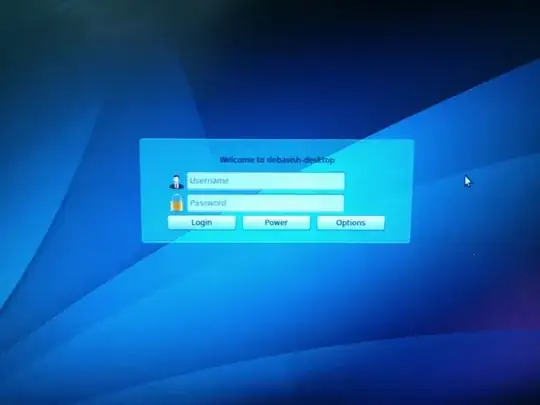
How can I change this and back to my default unity log in screen??
I tried several time to change my log in screen by using sudo dpkg-reconfigure lightdm. I choose lightdm from here. But my log in screen is unchanged and look like below.
How can I change this and back to my default unity log in screen??

If the command sudo dpkg-reconfigure lightdm not work, edit /etc/lightdm/lightdm.conf file with your favorite editor:
gksudo gedit /etc/lightdm/lightdm.conf
Make sure the greeter-session is the unity-greeter, then restart.
greeter-session=unity-greeter
If the problem continue then give a try to this command:
sudo apt-get -o Dpkg::Options::="--force-confnew" install --reinstall lightdm
